
Download Video YouTube - Free YouTube Video Downloader
Looking for the best way to download video YouTube to your computer? XGetter is a powerful desktop application that lets you download YouTube videos in HD, Full HD, 4K, and even 8K quality — completely free.
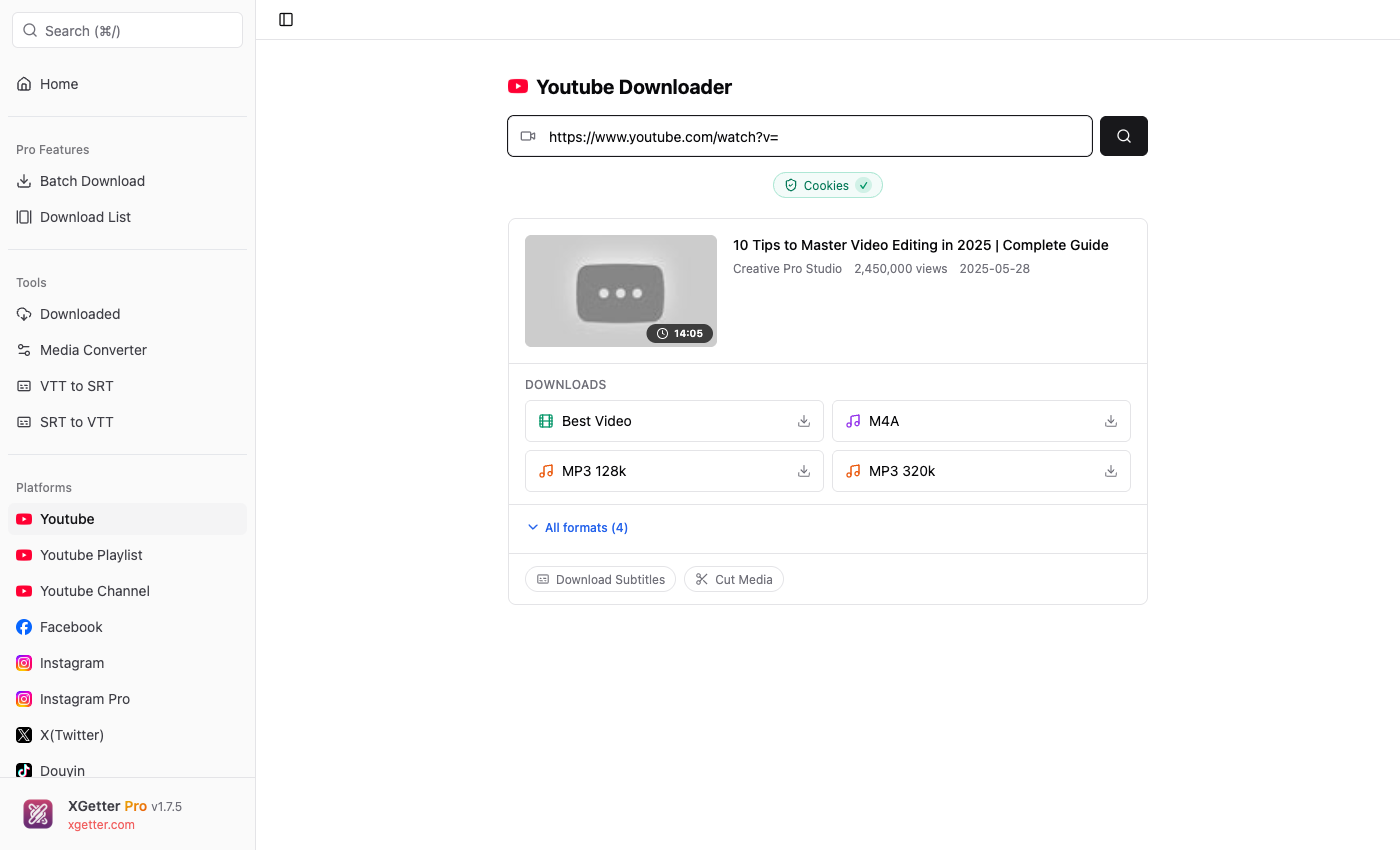
How to Download YouTube Video
Follow these simple steps to download video from YouTube:
- Copy the YouTube video URL from your browser or the YouTube app
- Paste the URL into XGetter's input field
- Choose your preferred format (MP4, WebM, MP3, M4A)
- Click Download and wait for the video to save
It's that simple! No browser extensions, no online converters with ads — just a clean, fast desktop app.
Features of Our YouTube Video Downloader
Download YouTube Videos in Any Quality
- 8K (4320p) — Ultra HD for the best viewing experience
- 4K (2160p) — Crystal clear quality
- 1080p Full HD — Perfect balance of quality and size
- 720p HD — Great for mobile devices
- 480p / 360p — Small file sizes for limited storage
Download YouTube Playlists & Channels
Want to download an entire YouTube playlist? XGetter supports batch downloading of complete playlists and channels. Save hundreds of videos with a single click.
- Download full YouTube playlists
- Download all videos from a YouTube channel
- Queue multiple videos for batch download
Convert YouTube Videos to MP3
Need just the audio? XGetter lets you download YouTube video as MP3 or M4A format. Perfect for:
- Music videos → MP3 files
- Podcasts and audiobooks
- Lectures and tutorials (audio only)
Download YouTube Subtitles
Extract and download YouTube subtitles in SRT or VTT format. Available for auto-generated and manual captions in any language.
Why Choose XGetter to Download YouTube Videos?
| Feature | XGetter | Online Tools |
|---|---|---|
| Video Quality | Up to 8K | Usually max 1080p |
| Download Speed | Maximum speed | Slow, limited |
| Batch Download | ✅ Playlists & Channels | ❌ One at a time |
| No Ads | ✅ Clean interface | ❌ Full of ads |
| Subtitle Download | ✅ SRT/VTT | ❌ Not available |
| Cut/Trim Video | ✅ Built-in | ❌ Not available |
Frequently Asked Questions
Is it free to download YouTube videos with XGetter?
Yes! The basic features including downloading YouTube videos in all qualities are completely free. Pro features like batch download and playlist support are available with a license.
What formats can I download YouTube videos in?
XGetter supports MP4, WebM, MKV for video and MP3, M4A, OGG for audio. You can choose the exact format and quality before downloading.
Can I download YouTube Shorts?
Yes! XGetter fully supports downloading YouTube Shorts. Just paste the Shorts URL and download like any other video.
Is downloading YouTube videos legal?
Downloading videos for personal, offline viewing is generally acceptable. Always respect content creators' rights and YouTube's Terms of Service.
Download XGetter Now
Ready to download YouTube videos in the highest quality? Get XGetter for free: